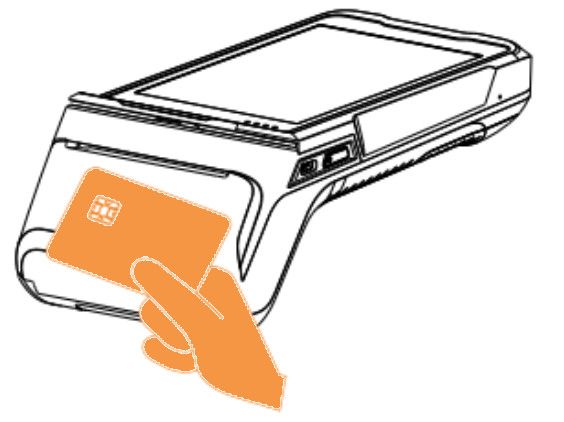
 Contactless cards
Place the card on the contactless payment card area. Keep the card there throughout the transaction. The payment will be confirmed by an LED indicator.
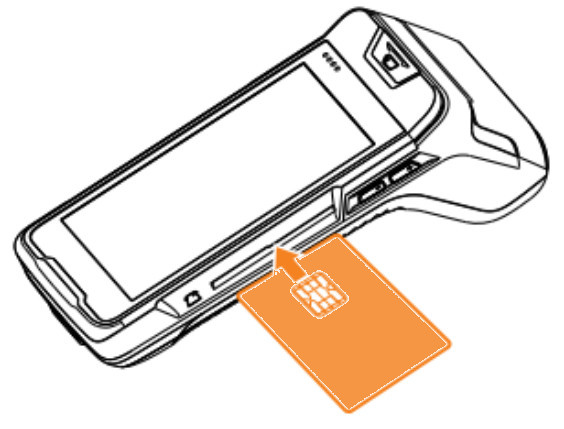
 Chip payment cards
Insert the card horizontally with the chip facing up and leave it in the device for the duration of the transaction.
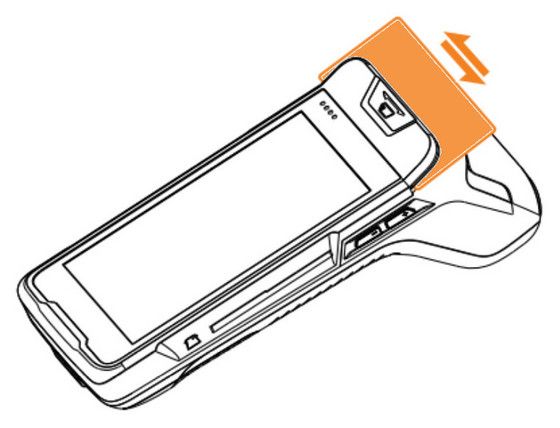
 Magnetic stripe payment cards
The terminal can read cards in both directions (swiping the card from left to right and vice versa). The card must be inserted with the magnetic stripe facing the device. For a reliable read, swipe the card slowly and smoothly.
|
|
|
 |
 |
 |
