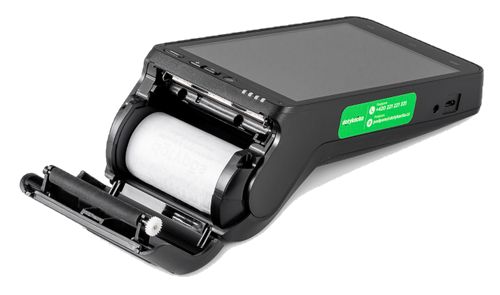
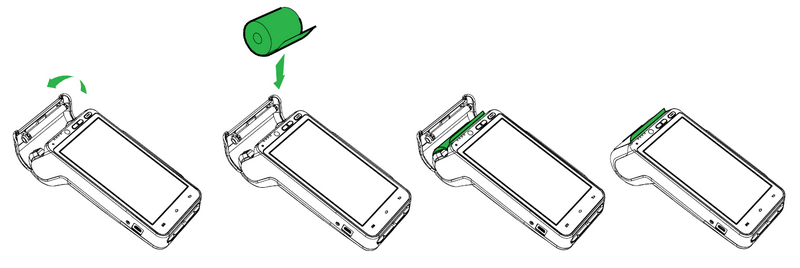
1.Lift up and slide the lock at the upper side of the device to open the printer cover.
2.Insert the thermal paper roll into the tray as shown in the picture.
3.Pull the paper out so it sticks out from the device.
4.Now close the cover. Push both upper corners at the same time so they click into the right position.
5.Then tear off any excess paper.
The paper specifications
Color |
white |
Width |
57 mm |
Roll diameter |
40 mm |
Length |
about 18 m |
|
If the thermal paper is inserted and the printer does not print, check whether the paper is properly inserted and orientated. The thermal layer must face out of the printer towards the display. |

