Battery installation
If the battery is not inserted in the device, proceed as follows:
1.Switch off the device if it is turned on.
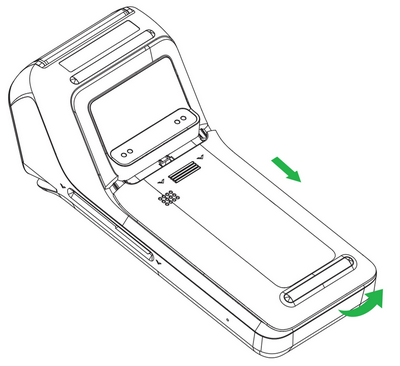
2.Turn the device so that the back side is facing up and slide down to release the battery cover.
3.Connect the battery to the connector.
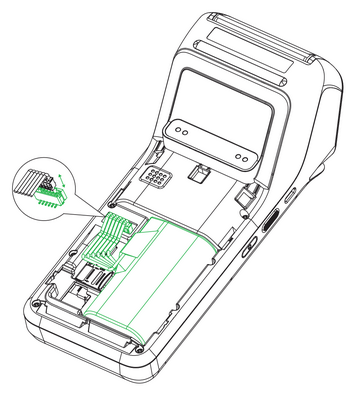
4.Insert the connected battery into the device and attach the cover.
Charging the battery
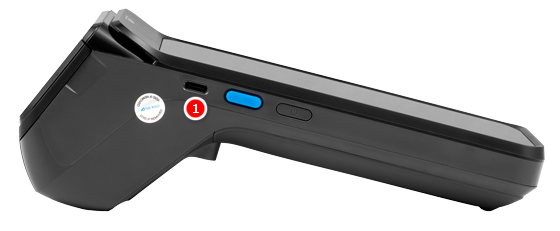
1.Connect the power adapter to the USB-C connector  on the left side of the terminal.
2.Connect the power adapter to the mains.
3.Charging is indicated by information on the device display.