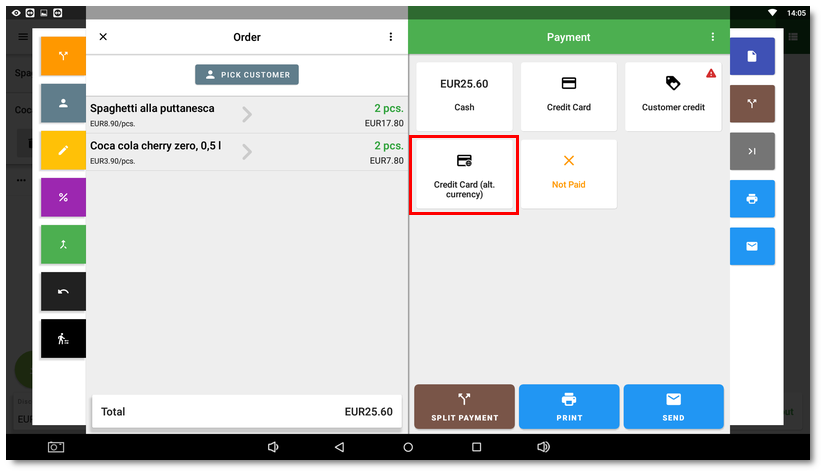
Card payment in an alternative (foreign) currency
If you use a Dotypay terminal with the Multitid or Multicurrency feature active for payment transactions in different currencies, use the special card payment method for an alternative currency in Dotypos. This payment method ensures that the payment in a supported foreign currency is transferred to the connected Dotypay payment terminal:
1.Add the foreign currency / currencies supported by your Dotypay terminal to the cash register.
2.Add the payment method Credit Card (alt. currency) to the cash register.
3.When closing the order, select this payment method in the payment dialog and, if there are more foreign currencies in the cash register, choose the specific currency for the payment (if there is only one foreign currency in the cash register, the payment will be made directly in this currency).
4.The amount in the foreign currency is transferred to the payment terminal, where the customer completes the payment.
5.The order is then recorded in the cash register History including the conversion of the paid amount to the foreign currency used.