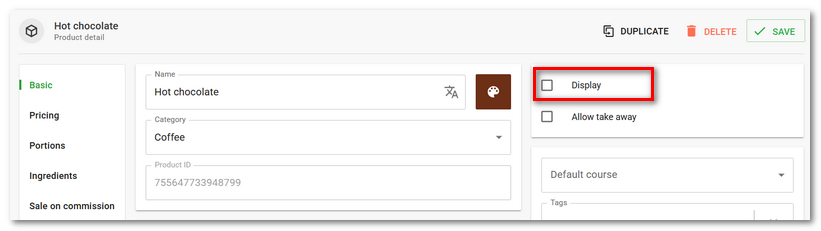
Deleted products and categories can be restored using the Bulk edit function. However, we do not recommend deleting products or categories. It is better to temporarily hide them by deactivating the Display option in their settings or simply rename them, modify their properties, and use as a different product (category). This ensures the optimal health of the cash register database. Directly on the cash register, the option to show/hide a product is labelled as Display in Selection, and for a category there is an option Display on Main screen.
How to restore a deleted product or category?
|
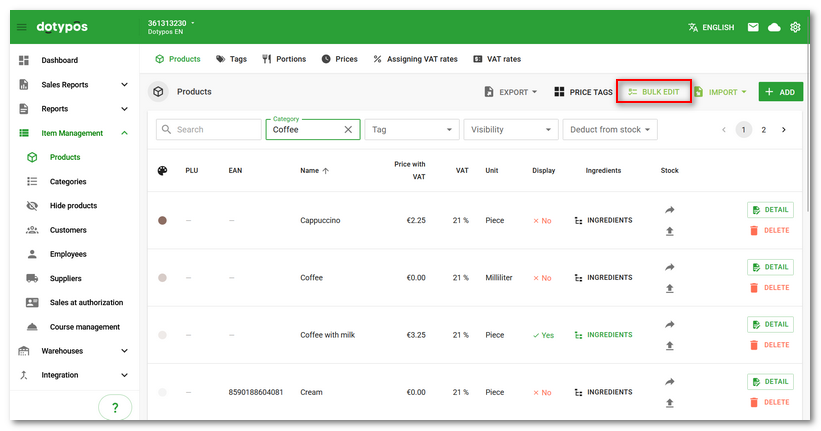
In the product list or category list, click BULK EDIT in the header. |

|
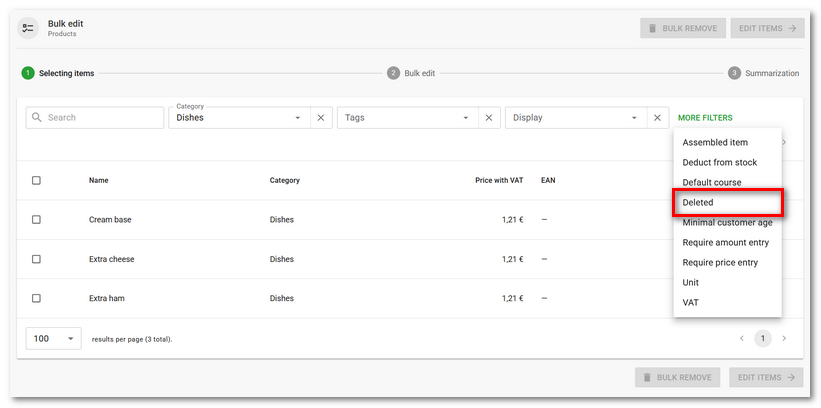
Now activate the display of deleted items. First, you need to add a filter for deleted products. Click the MORE FILTERS option and add the Deleted filter. |

|
Set the Deleted filter to Yes |

 . This will display previously deleted products in the overview. Select the products to be restored
  and then continue by clicking the
  button.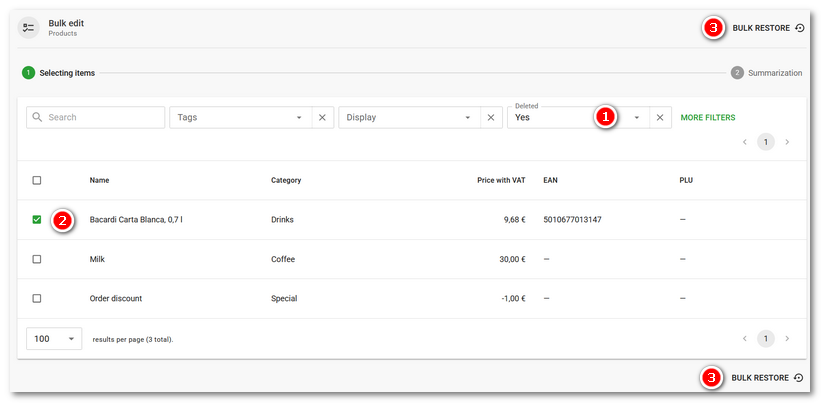
|
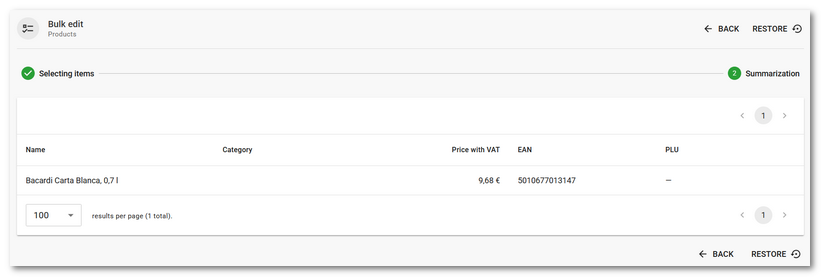
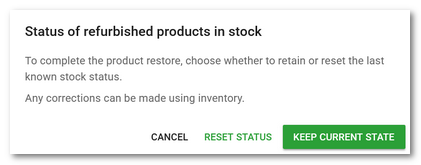
A summary with the products to be restored will be displayed. Now use the RESTORE button. A prompt will appear asking how the stock quantities of the restored products should be adjusted. Decide whether the last known stock quantities of the given products from before deletion should be used, or whether the quantity in stock should simply be set to zero. If no information about the stock quantity status exists, zero will always be set. After choosing one of the options, the products will be restored. |