» This chapter applies to the Czech Republic.« |

Dotypos allows an order to be issued by a proxy. If you want a specific order to be recorded under a different Tax identification number (VAT) than the one set in the cash register as the default, you can do so with the option SELL BY PROXY. However, you must first activate this option in the Application Settings in the section Cash register » Sell by proxy by adding a new entity. Sell by proxy cannot be used for commission sales.
You can allow a one-time sale by proxy in the Payment dialog or you can set it permanently for the selected category or product. If sale by proxy is set permanently, the advanced payment options are not available in the Payment dialog.
How can I have someone else issue an order “by proxy”?
|
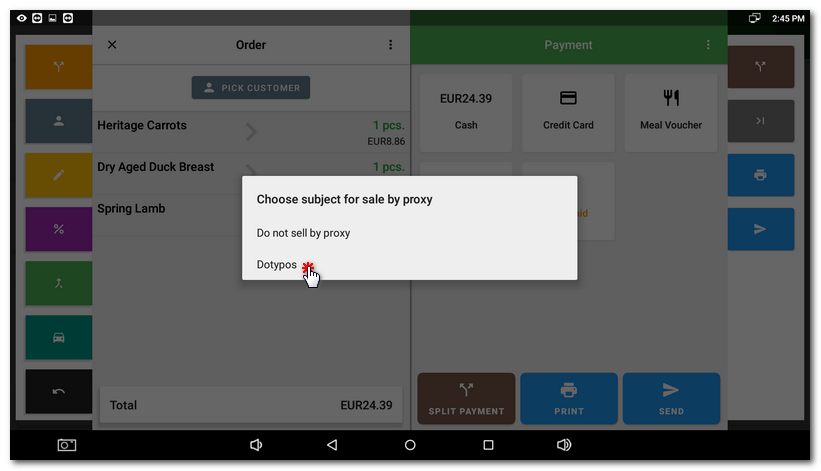
Select the entity under which you want to register the order. |

|
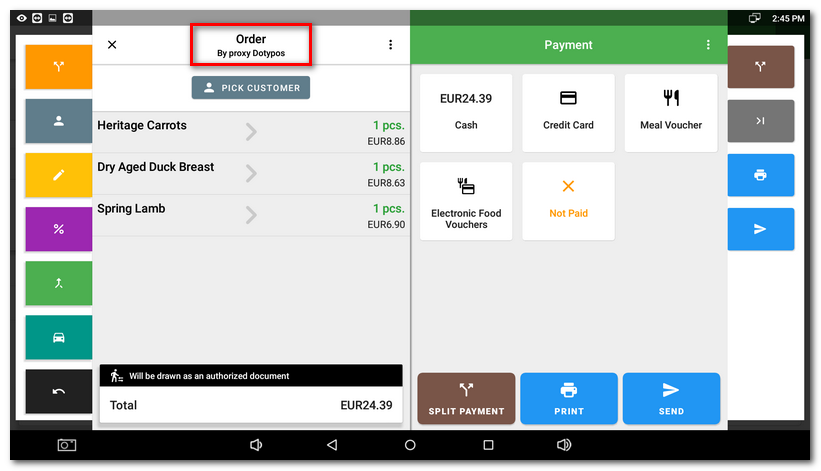
Now the order will be recorded by the applicable Tax Identification Number by proxy. |

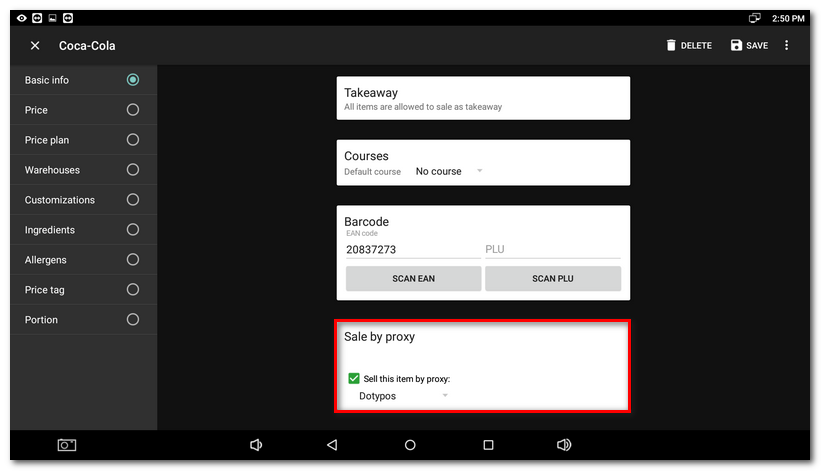
Permanent sale by proxy of the selected product/category
If you regularly record the specific product or the whole category to another subject, you can in Item management set up a permanent sale by proxy for the product or category. Then at payment you will be notified that the document will be issued by proxy.
If you sell some products by proxy (in the Czech language Prodej v pověření) and other products not by proxy, they will be stated on the receipt separately.
