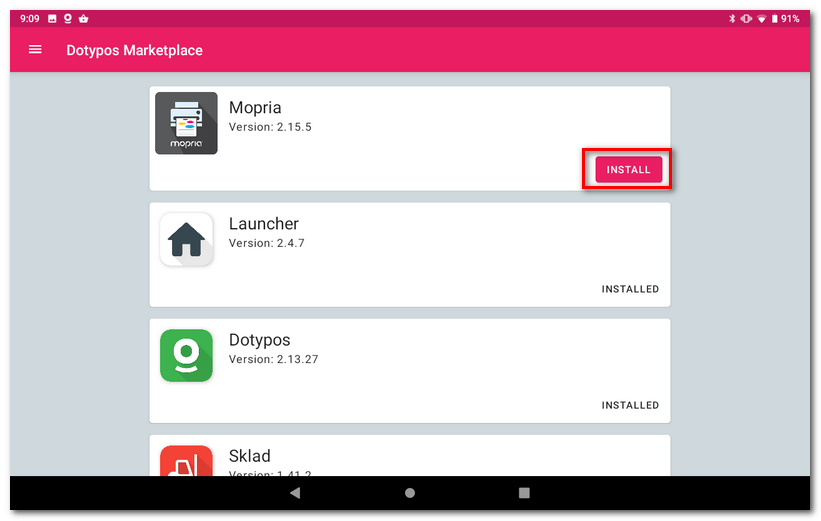
To print invoices from Dotypos on a regular printer, you can use the Mopria app, which can be found and installed from the Dotypos Marketplace.
|
Mopria lets you print over Wi-Fi or Wi-Fi Direct from your Android smartphone or tablet to certified printers and MFPs. To check if your printer is certified for use with Mopria, go to http://mopria.org/certified-products. |

How to print an invoice on a regular PC printer?
|
At cash registert, open Dotypos Markeplace and install the Mopria app. Once installed, launch the Mopria Print app. |

|
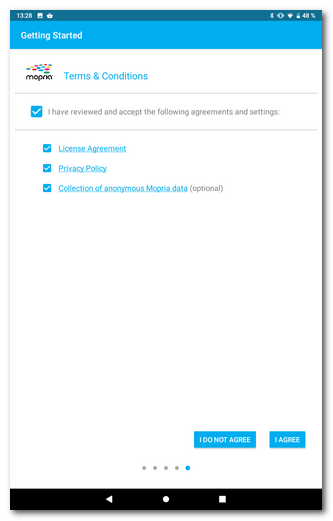
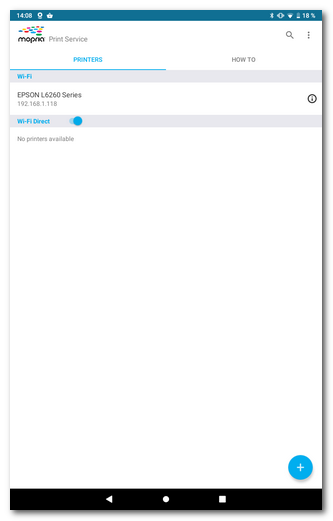
The app has no special settings, you just need to agree to the terms and conditions, which can be found on the fifth screen of the wizard after launching. So you need to go through the wizard and tick the terms and conditions and data processing agreements at the end. Check the options and then tap the I AGREE button. The app will search for available printers in the same network as the cash register and display them. Alternatively, you can add a printer by using the + button to enter its name and IP address. The application runs in the background, allowing you to access common printers on your network or via a direct connection (Wi-fi Direct). |

 |
 |
|
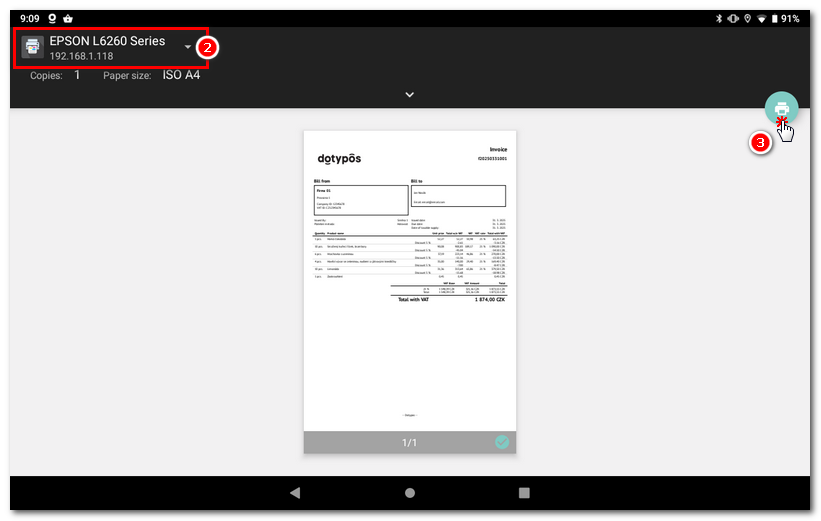
And we're going to print the invoice. Go to Dotypos app, tap the printer icon in the generated invoice dialog or the Share icon |

 and select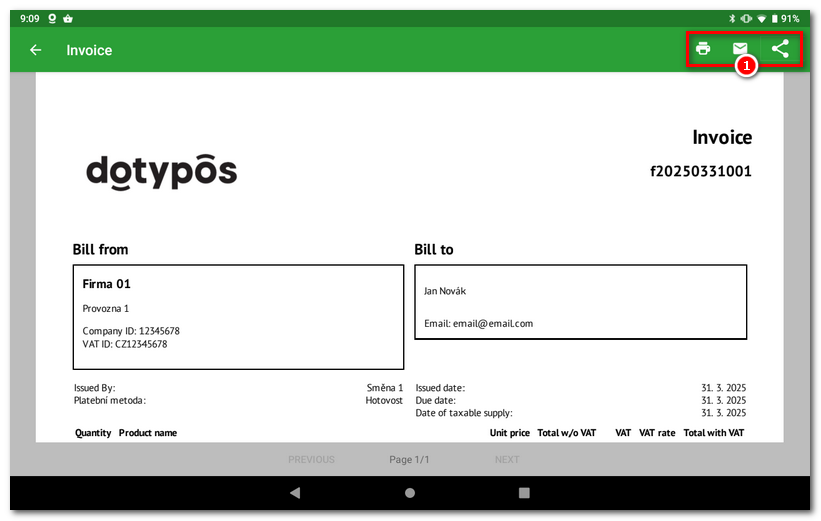
|
The print dialog will open, where in the upper left part of |

 first select your printer and then use the
  button to print the invoice. The application remembers the last selected printer. The next time you print it will be automatically selected.