Open receipts
Click on tab Sales Reports » Open orders to display an overview of all currently parked orders (orders open and unsettled). This is the link that opens the Open Orders data report. The information displayed in the report can be limited using the fields in the header  of the page. For a description of how to work with the report, see the previous chapter Sales or Issued receipts.
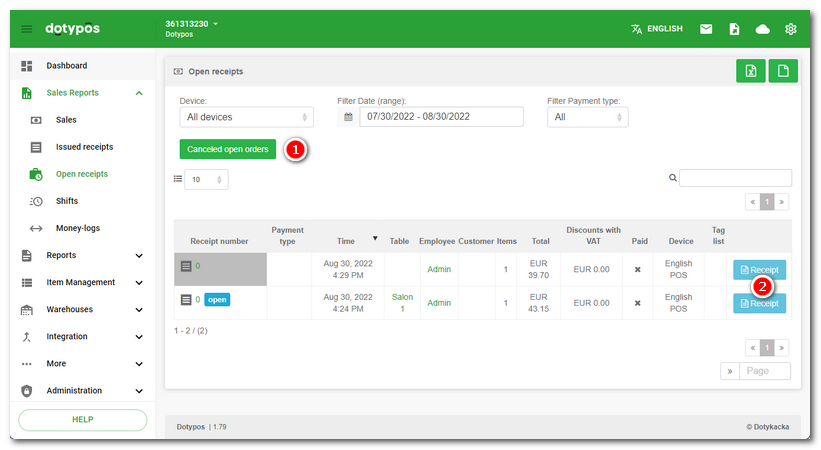
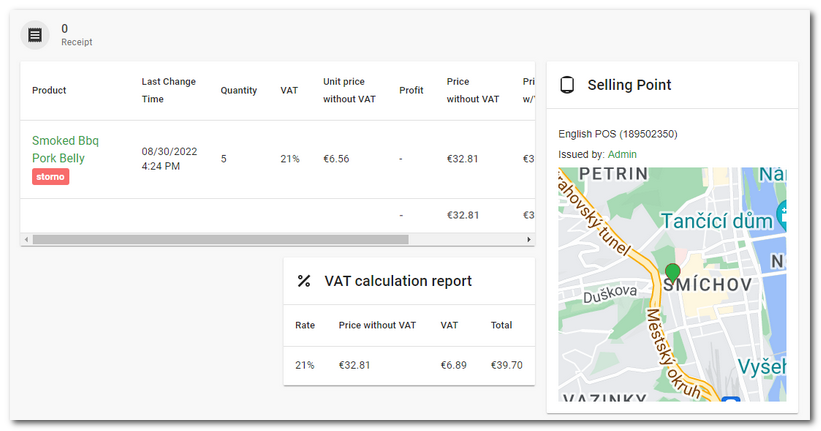
By clicking on the Order detail  next to each displayed item, you can open the document details. Since the order is not closed, the receipt does not have a number.