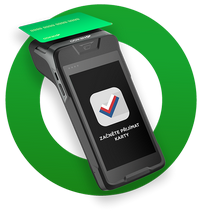
If you connect a supported payment terminal to the cash register, the cash register and terminal will communicate bidirectionally. This means the payment amount will be sent to the payment terminal, and the cash register will receive information about the payment status as well as any tip, which will be recorded correctly. The specific procedure depends on the type of payment terminal you are using. With Dotypay terminals, the connection is very simple and involves entering the code shown on the terminal into the installed payment terminal driver on the cash register. The cash register will then be able to locate the terminal in the network and establish communication, even repeatedly, based on this initial pairing.
If you use a third-party payment terminal, pairing (connecting) to the cash register is done based on the entered IP addresses of both devices, the cash register and the terminal. In this case, it is necessary to set up the Wi-Fi network so that both the cash register and the terminal have a fixed IP address. If either device receives a different IP address from the Wi-Fi router than it's set to, communication will not work and the cash register will display an error during card payment. Enter the IP address of the payment terminal in the installed payment terminal driver on the cash register. Of course, you can also use the payment terminal independently without connecting it to the cash register and enter the amount to be paid manually. In that case, you will record the transaction manually as a card payment on the cash register.
|
The Dotypay payment terminal can also have the Dotypos cash register application installed with a valid license. In this case, both the cash register and the terminal will operate together on a single device, which we call Dotypos PAYMENT. |

For clarity, this chapter consolidates all subchapters describing everything surrounding card payments / online payments. Continue by selecting the subchapters below:
•Network requirements
Recommended wireless network settings for smooth communication between the cash register and the terminal / mobile waiters
•Connecting and configuring the payment terminal
Introduction to connecting payment terminals to the cash register
oConnecting the Dotypay terminal
Connecting the Dotypay payment terminal to the Dotypos cash register
oConnecting other terminals
Connecting other payment terminals to the Dotypos cash register
•General settings of the payment terminal and cash register
Complete procedure, including recommended Wi-Fi router configuration, for trouble-free connection of payment terminals (not required for Dotypay payment terminals).
•Card payments
Procedures and options for card payments on the cash register with a connected payment terminal + troubleshooting communication errors
•Dotypay payment terminals
Overview of supplied Dotypay payment terminals
oSmart Tips
An optional, configurable tip screen that is displayed to customers before the actual payment.
oDotypay terminal standalone operation
Using the Dotypay payment terminal as a Mobile Waiter or as a standalone payment terminal
|
To be able to use the payment terminal even if communication is not working, temporarily deactivate the Payment methods settings option Use Connected Payment Terminal in Dotypos. When paying by card, the cash register will not communicate with the payment terminal and will close the receipt immediately. You will then enter the payment amount manually on the terminal. |