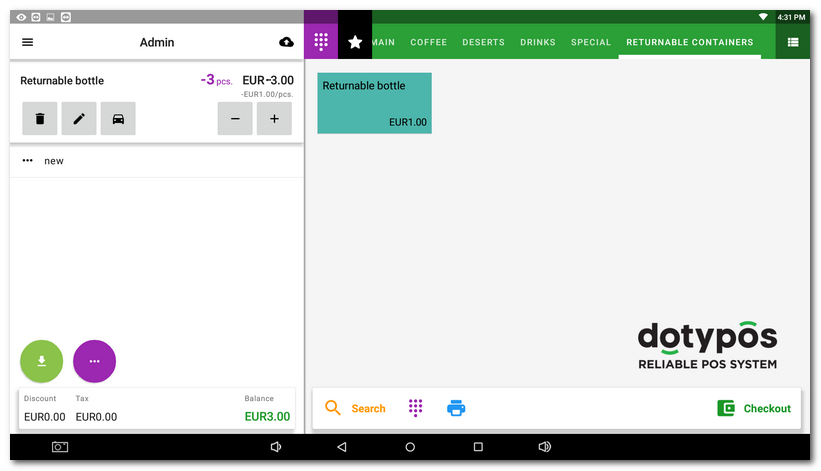
Dotypos allows you to easily add a returnable (deposit) container to a product you sell. The returnable container will then be automatically listed on the receipt and included in the total amount. For the returnable container to be added to the product automatically when billing, you need to pair the product with this container in the properties of the product you sell.
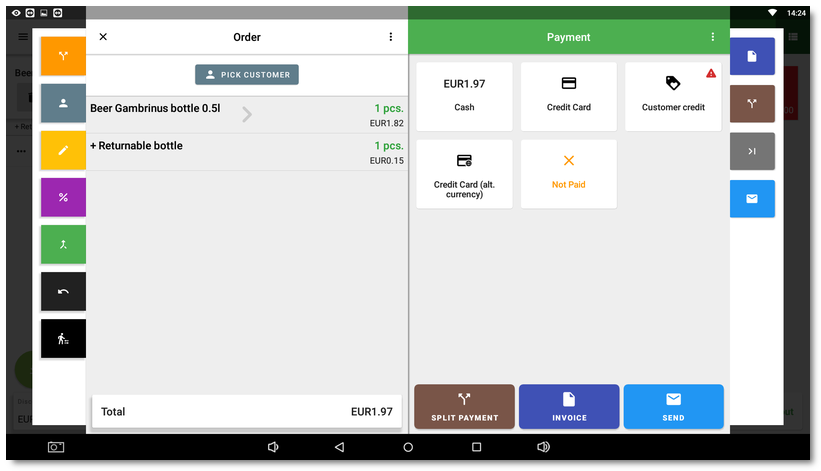
In Dotypos, a returnable container is a regular product, so you can set a different price and a different VAT rate for it. As an example, we will use the purchase of bottled beer, where the customer is also automatically charged EUR 0.15 for the returnable bottle.
The whole procedure consists of these steps:
1.Creating the product and the related returnable container
2.Adding the returnable container to the sales product
3.Billing a product with a returnable container
4.Redemption of the returnable container
Creating the sales product and the returnable container
|
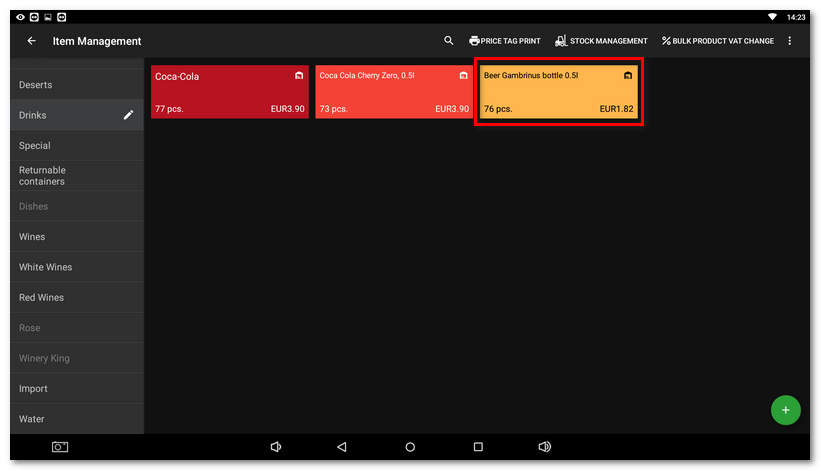
In the Item Management, create the product Beer Gambrinus bottle 0.5l (e.g. in the category Drinks). If you do not know how to create a category and a product, read how to create a category and how to create a product. |

|
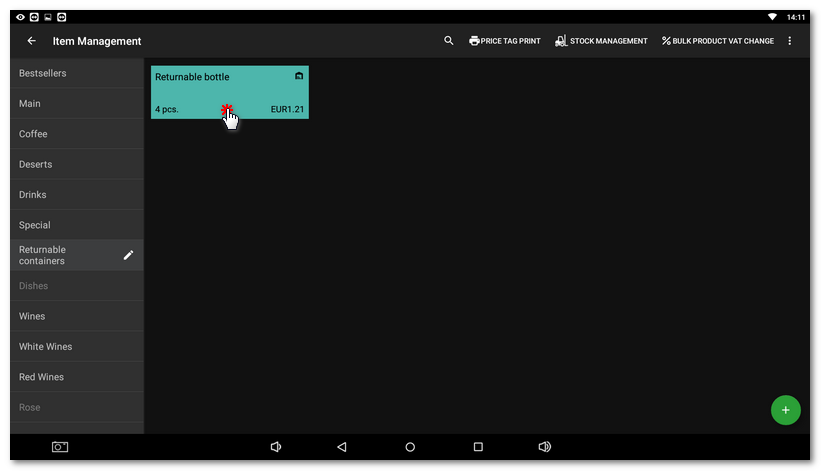
Then create the product Returnable bottle (e.g. in the category Returnable containers). Once created, open the properties of this product by tapping its tile. |

|
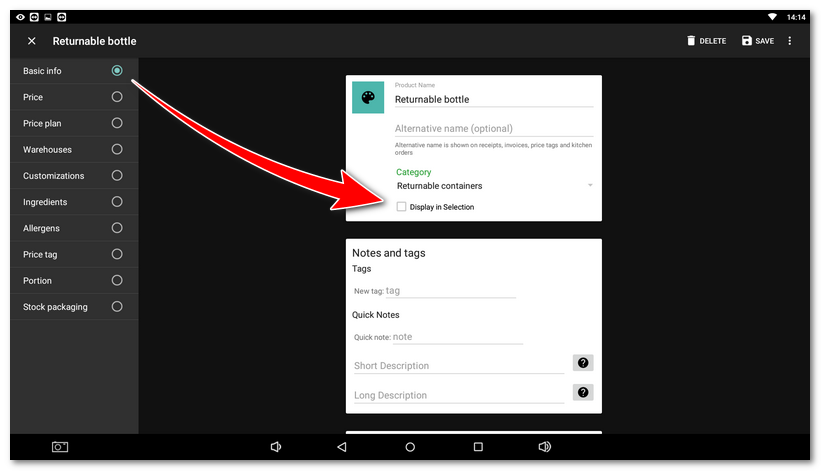
On the Basic info tab, deactivate Display in Selection so that this product is not displayed and the staff cannot bill it separately. |

|
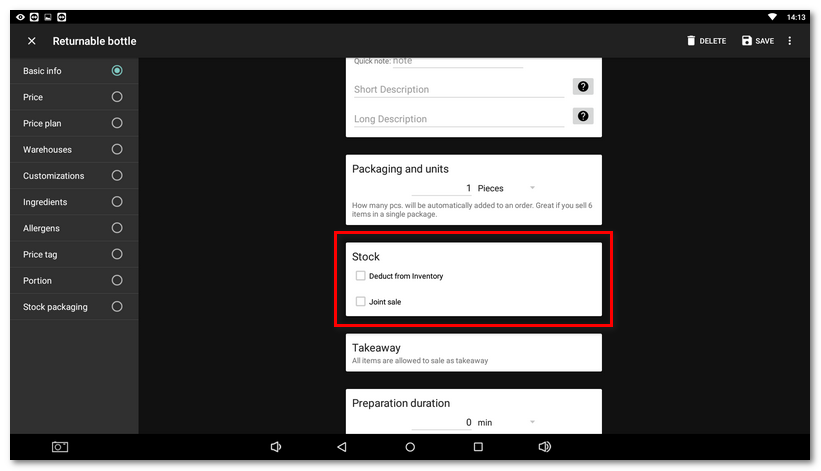
A bit further down, in the Stock section, deactivate the Deduct from Inventory option. The returnable container will thus not be deducted from the stock. |

|
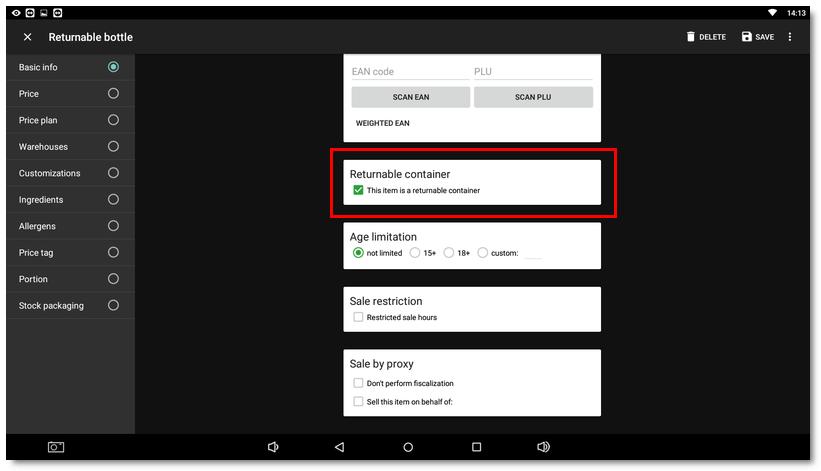
Again a bit further down, in the Returnable container section, activate the This item is a returnable container option and save the changes with the button in the upper right corner. By setting the product as a returnable container, the product receives the special tag -container, which also indicates the 0% VAT rate. |

Adding the returnable container to the sales product
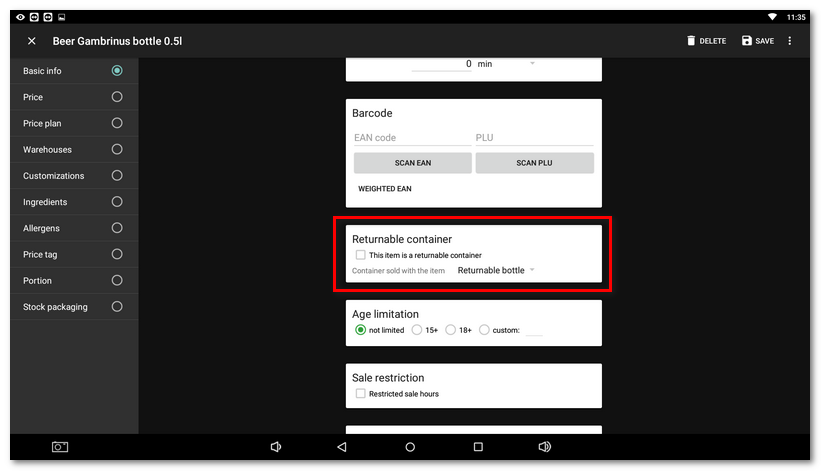
Now we will add the product Returnable bottle, which represents the returnable container, to the sales product Beer Gambrinus bottle 0.5l. Tap the product Beer Gambrinus bottle 0.5l that you have created. Select Basic info in the left menu, then scroll almost to the end of the settings on the right and in the Returnable container section select the product Returnable bottle as the Container sold with the item and save the change.
Billing a product with a returnable container
Now, when you select the product Beer Gambrinus bottle 0.5l when billing products, the Returnable bottle is automatically added to it as well. If you bill more pieces of Gambrinus beer, the corresponding number of returnable bottles is added too. The Returnable bottle will only be listed on the receipt, while Beer Gambrinus bottle 0.5l will be deducted from the stock.
However, if you do not want to follow the billed quantity, you can use a special tag that changes the joint sale behavior. The set deducted quantity for the deposit or charged container will then be applied during the sale. This is useful when you sell more products in one charged container.
Redemption of the returnable container
For redemption, create a separate product, e.g. Returned bottle. In its properties, set -1 piece in the Packaging and units section and the price EUR 0.15. When this product is billed, EUR 0.15 will be deducted from the cash register and at the same time 1 piece of the returnable bottle will be added to the stock (-1 pc × EUR 0.15 = -EUR 0.15). This gives you an overview of the number of returned bottles.
If you cannot enter negative values for products, enable the Negative Prices and Negative Quantity options in the Application settings in the Cash register section on the General tab.