Price levels are used for quickly selecting the sales price of a specific product. Together with the main price, you can set up to 4 additional prices from which you then choose during the sale, or which are applied automatically based on the selected customer or a discount promotion. The names of the price levels you use can be set on the cash register in Dotypos Cloud in the product list. You can then adjust the prices of the levels in the properties of each product on the Price tab. You can do this either on the cash register (as described in this chapter) or in Dotypos Cloud.
|
To get an overview of sales in individual price levels, use the data report Product sales by price levels. Alternatively, in the Issued documents with detailed breakdown you can add the column Price level. |

You can use price levels:
•when selling products
•for customer accounts
•in created customizations
•for price promotions (Price plan and Happy Hours in Dotypos Cloud)
How to configure price levels?
|
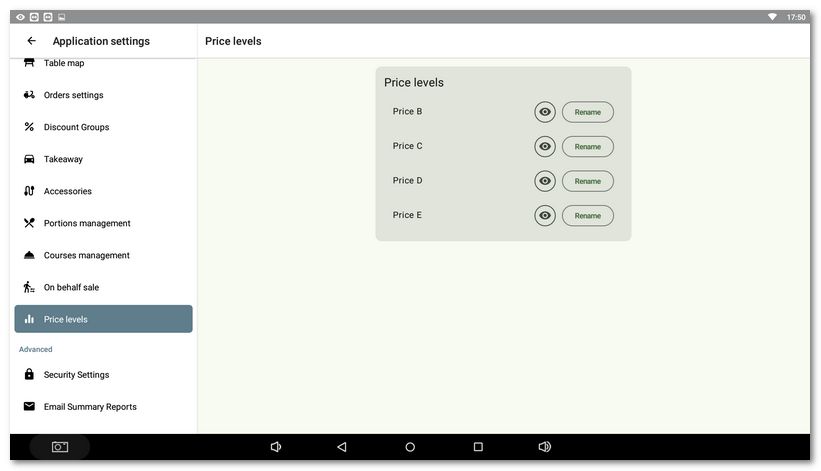
Open the Dotypos application settings and on the left select Price levels. On the right you will see individual price levels that you can rename or hide. If you hide a price level, it will not be shown by default during sales. However, if you assign it to a customer account, it will be applied automatically when you assign this customer to an order and the posted products have a price defined for this price level in their properties. A hidden price level therefore cannot be used by the cash register staff without a selected customer. |

|
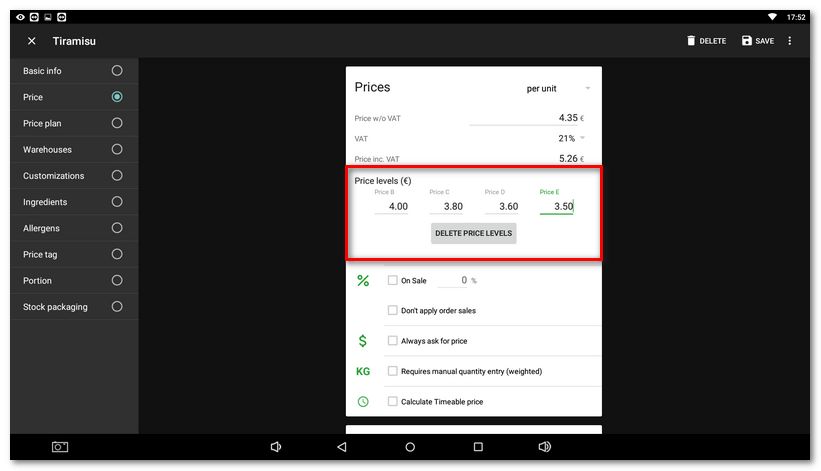
In Item management open any created product and go to the Price tab. Tap the USE PRICE LEVELS button, then enter up to 4 price levels (Price B–E). Do not forget to save the changes. |


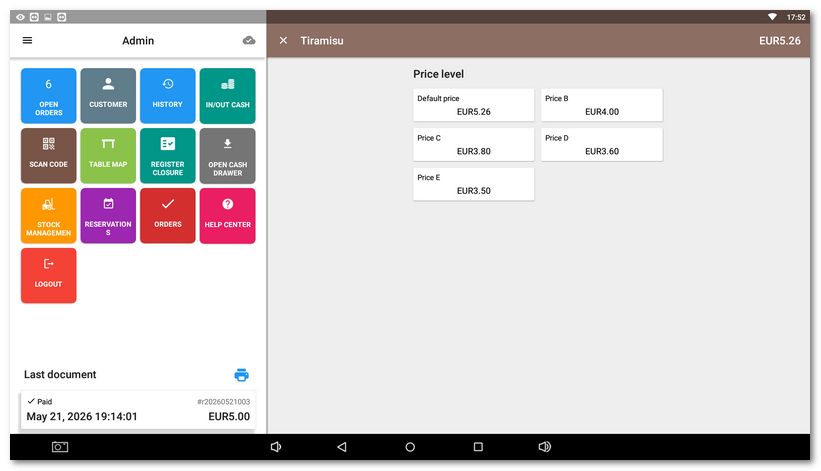
|
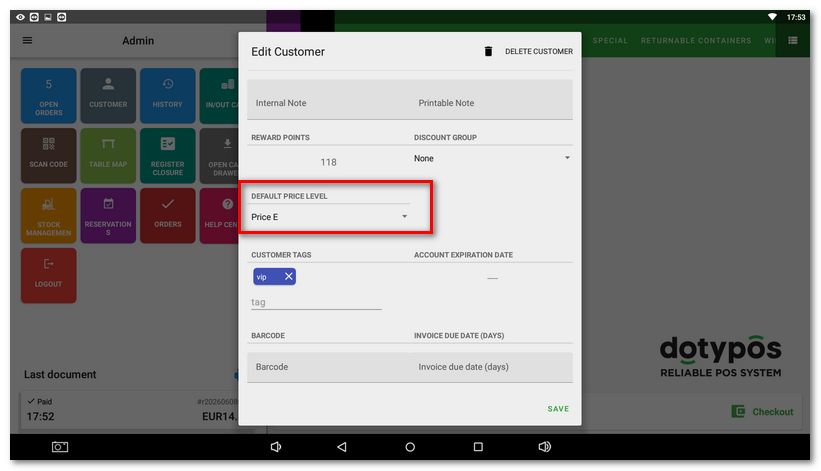
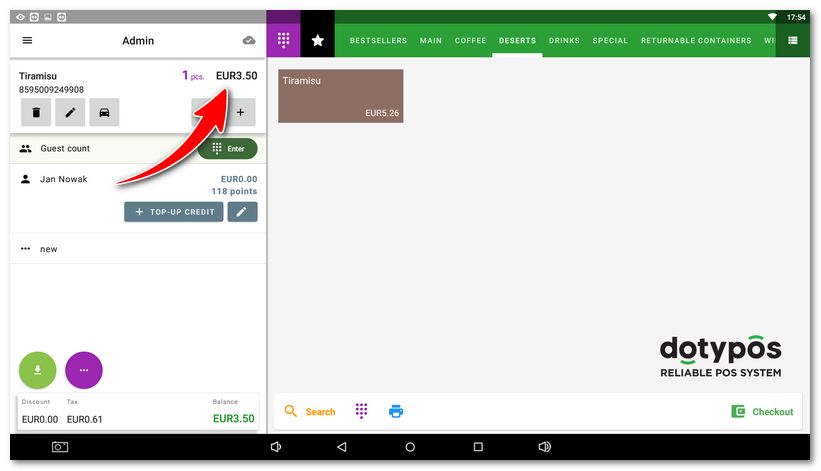
The ideal solution is to assign specific hidden price levels to individual customers. Then you just need to assign the customer to the order and add products with defined prices in the individual price levels. The prices from the product price level assigned to the customer will be used automatically. The advantage is that the staff cannot apply a hidden price level without selecting a customer. |

|
If a customer has both a discount group and a price level assigned, the price from the assigned price level is used first and then the discount from the discount group is applied to it. |