If you allow issuing non-fiscal receipts in the cash register settings, you will be able to specify for an open order, product, category or payment method whether the order, the product in the order or an order paid with a certain payment method will or will not be fiscalized. These options are intended only for specific situations where it is not necessary to issue a fiscalized receipt. A model example is a situation where a customer bought goods in an e-shop, paid for them by bank transfer and brings them to the establishment in person to return them. You can record the refund in cash or to the customer’s payment card on the cash register as non-fiscalized. However, if you fiscalize it, it does no harm. This “sale” will not be paired with anything at the Financial Administration. Keep in mind, however, that if you deliberately close an order on the cash register without fiscalization, it will remain permanently recorded that way in the cash register. In this case, it can no longer be fiscalized retroactively.
The options below work if you have uploaded the EET 2.0 certificate to the cash register, turned on sending receipts to EET and allowed issuing non-fiscal receipts.
|
Once you issue an order as non-fiscalized, it will be permanently recorded as such in the cash register and in the Dotypos cloud, which creates a discrepancy between the data in the cash register and the data registered with the Financial Administration. It will no longer be possible to issue it as fiscalized retroactively. Additional fiscalization is only possible for an order that was fiscalized offline because communication with the EET server could not be established, e.g. it was issued during an outage of the internet connection. Apart from account-to-account transfer payments made outside the establishment on the basis of an invoice (e.g. a transfer payment for goods bought in an e-shop), EET 2.0 allows practically no exceptions. Note: card payments and QR code payments are registered under EET 2.0! To verify that issuing a non-fiscalized receipt is correct, we recommend first consulting your tax advisor or the Financial Administration (in Czech). |

Issuing non-fiscal receipts
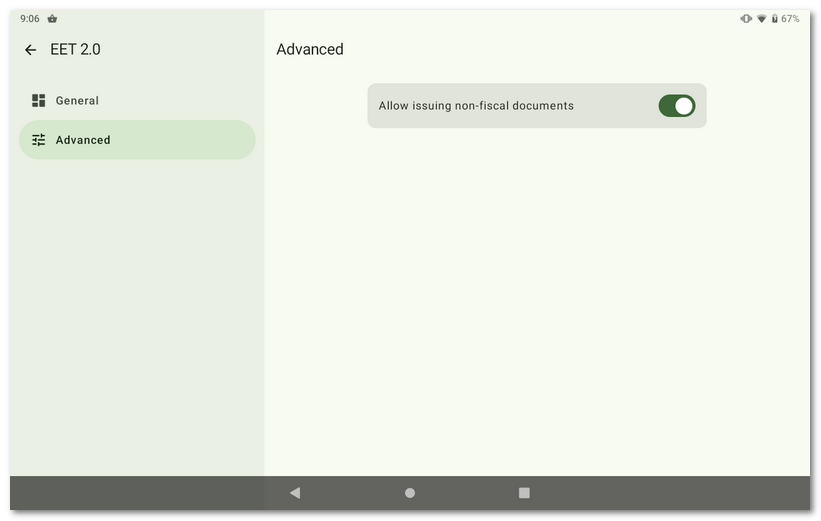
If you need to issue non-fiscal receipts, you have to allow this option in the EET settings on the cash register.
Marking an order as non-fiscalized
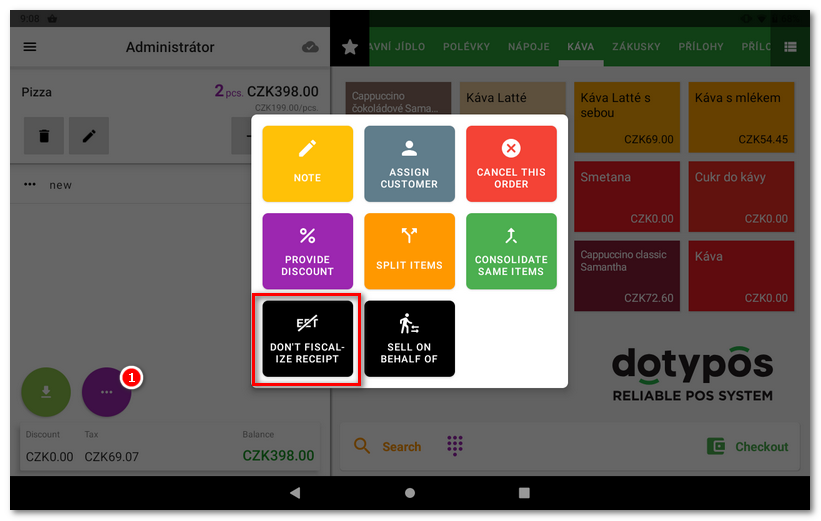
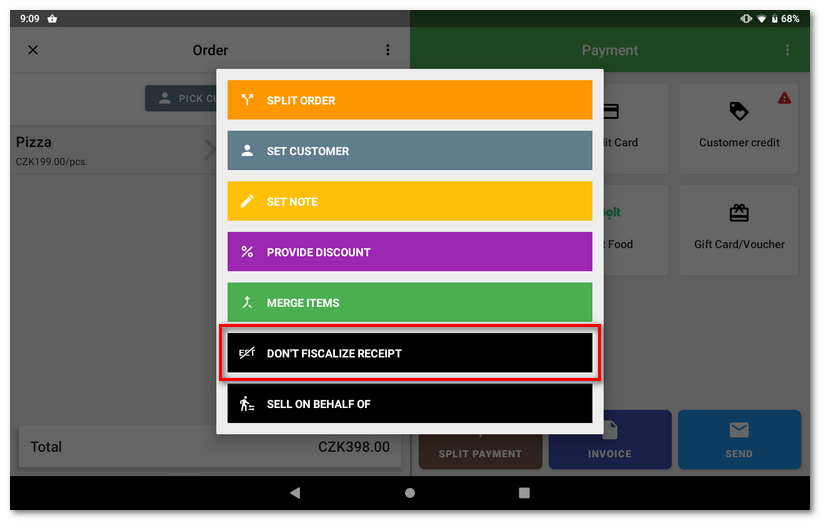
An open order can be marked as non-fiscalized / fiscalized in the Order options  menu. After checkout, you can mark it in the same way via the menu
 in the payment dialog. Both options change according to the state (fiscalized / non-fiscalized) of the given order.
Non-fiscal category or product
You can mark both a product and a category with the Don't perform fiscalization flag. If a category has the Don't perform fiscalization option enabled, all products in this category will not be fiscalized after being added to an order and paid.
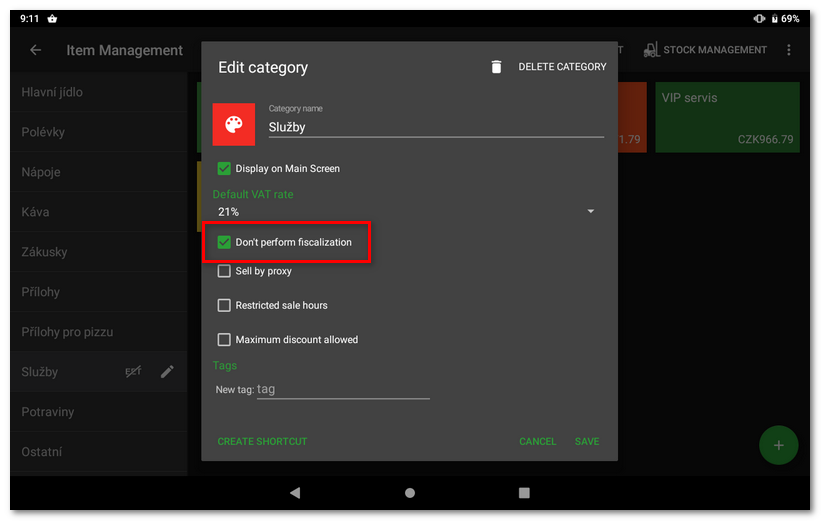
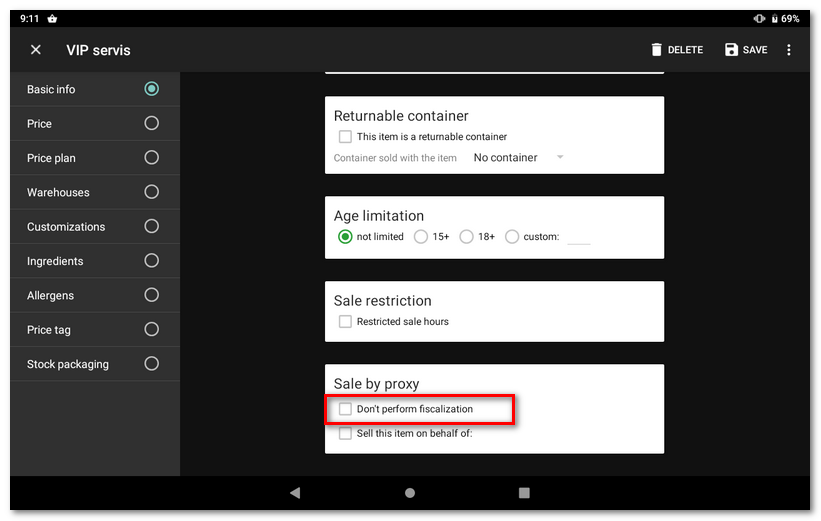
|
The option "Do not perform fiscalization" for products and categories is not supported in Mobile Waiter. |
Non-fiscal payment method
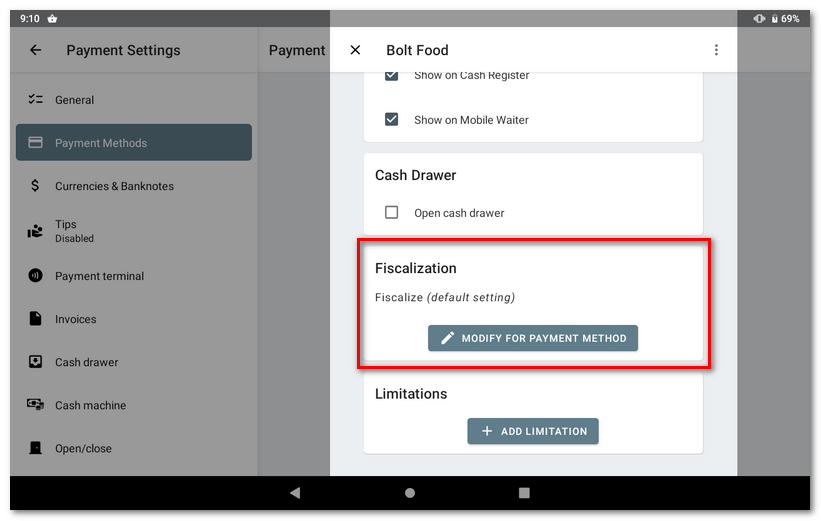
You can also mark a selected payment method as fiscal or non-fiscal. After an order is paid with this payment method, the receipt will not be fiscalized.