» Release date: 11 November 2026 « |
Main new features
•Stock notification
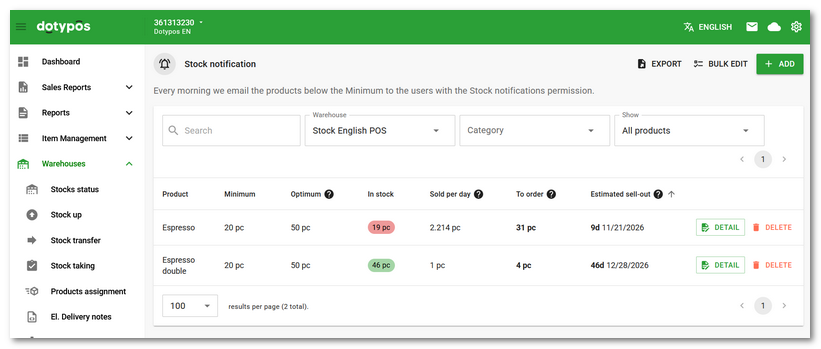
The existing volume monitoring is replaced by the new Stock notification section, available via a button on the Stocks status page. For each product and warehouse, you can set the Minimum and newly also the Optimum. The list of rules shows the current stock, sales per day, the quantity to order (Optimum − current stock) and the estimated sell-out date. Rules can be searched, filtered, sorted, bulk edited and exported. The same values can also be set in the product detail in the new Stock notification section; for multiple warehouses, use the Set for all button to set them all at once. The reports now include the Stock notification group with three reports (product summary, breakdown by warehouse and list of rules). The morning e-mail about products below the minimum is sent once per cloud and also includes the Optimum and the quantity to order.
•EET 2.0
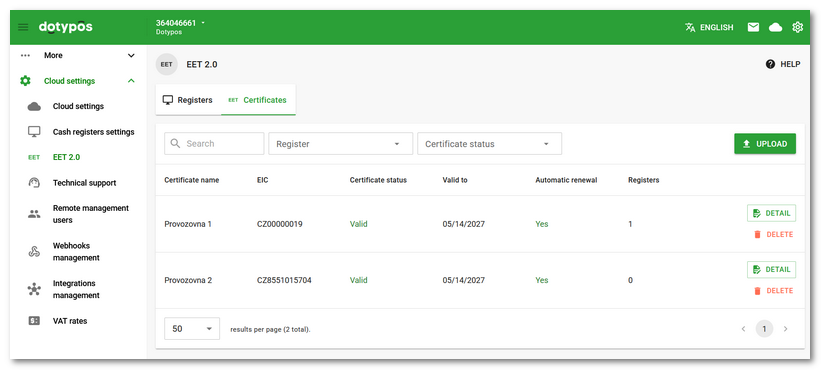
Cloud settings contain a new EET 2.0 section. On the Certificates tab, you can upload and manage certificates and view their details. On the Registers tab, certificates and record-keeping units are assigned to cash registers and to sellers selling on authorization. A warning marks the cash registers that would not record sales. For sales on authorization (Sales at authorization), you can enter the EIC.
•Returnable containers 2.0
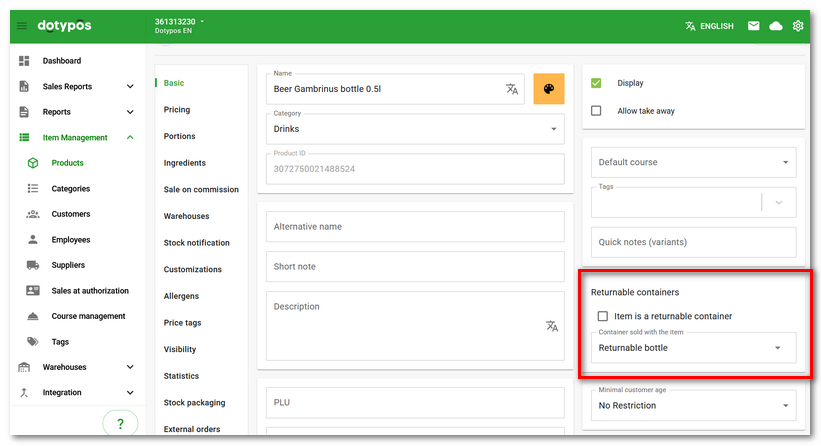
The product properties now include the Returnable containers section. A product can be marked as a returnable container, or a returnable container can be assigned to it. The cash register then adds the container to the product automatically. Learn more about returnable containers in this chapter. Returnable containers are supported by all ordering services.
•Stock taking with multiple stock packagings
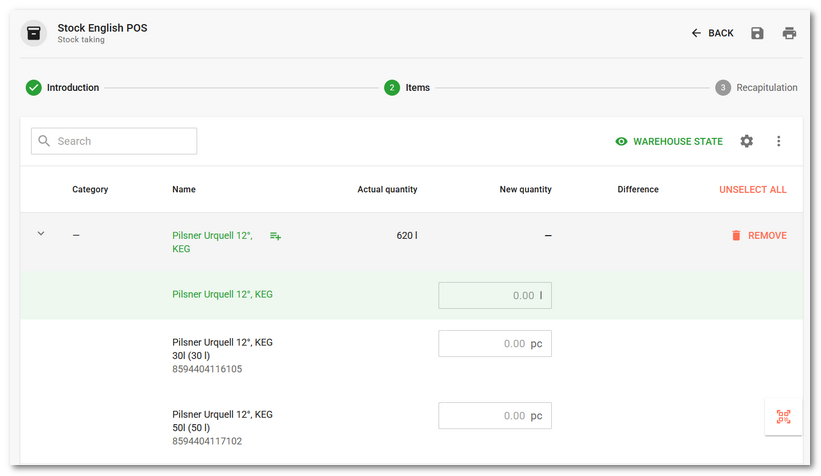
The stock taking now also accepts products with multiple stock packagings. The packagings are then grouped under the product. You can enter the quantity both for the product itself and for the stock packagings it contains.
•Quantity limit in customizations
For a customization group, the Limit quantity per item option lets you specify how many times a single item can be selected. The default value is 1. If the option is unticked, the quantity is not limited.
Improvements
•In the menu editor of the ordering services, products whose customizations allow an item to be selected multiple times display a warning that such items are not sent to Foodora.
•If a stock-in with the same delivery note number already exists for the selected warehouse and supplier, a warning is displayed before you continue.
•When importing a stock-up, the button for moving to the next step when pairing the columns in the file has been renamed from ADD to CONTINUE.
•A copy of a product now also includes the image for ordering systems and the translations of the name and description.
•The name of an existing tag can no longer be changed. Renaming was not reflected in products and confused filters.
•Dotypos cloud is now available in Ukrainian.
•The help in the EET settings contains a link to the online manual chapter on EET.
Fixes
•Stock-up import using the Dotypos template calculates the purchase price from the total price if the unit price is missing, and uses it in preference to the price saved for the product.
•In report filters with search, the search and the narrowed list are kept after selecting an item.
•After uploading a new certificate for EET 2.0, all cash registers are displayed in its detail, so it can be assigned right away.